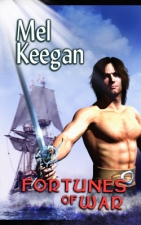
As you know, ICE, WIND AND FIRE is going through the scanner at this time (see my previous post about why, and how), and the book will be back out in paperback and ebook form, in time for its own Twentieth Anniversary...
So, the IWF experience is all about OCR.
Now, the OCR process is actually easy; and the software today is virtually foolproof, so long as you scan an a high-enough dpi for the system to know what it's looking at...
The problem is in the hardware.
Hands up, all those people who paid $300 for a scanner in 2002, and having paid that much, don't really want to consign it to the bin?
Now, hands up, all those people who were running Win98 back in those days; and since then they've wandered through XP Home, XP Pro, Service Packs 1, 2, 3, Vista, Service Packs 1 and ... the dreaded SP2.
I have a computer that NASA would have drooled over. This Quad Core, with is 4x 2.4G processors and its 6G of Ram, and its unlimited storage space, would have run Project Apollo and sent Voyager to the planets -- at the same time.
And all it took to knock this paragon of cybernetics flat on its can was --
Vista, Service Pack 2. God alone knows what happened, but as soon as the "update" went through the system forced a re-start for the third time in a row, the computer went haywire. Wouldn't stay online. Wouldn't run the big, complex applications properly. The browser would lock up, and kill the whole thing. Restart (which takes 15 minutes or more). Over and over.
To top it off, Microsoft's security system had, in its infinite wisdom, decided that Lenovo's automatic update facility was a spam generator, and demanded that it be shut off ... so Leonovo was not even able to fix the problem on the fly.
After a week of cussing, bitching and getting very little done, I yelled from Dave from DreamCraft, who went into the system and worked magic on it. Turns out, Vista Service Pack 2 is so bad, Lenovo had to issue a patch to put right the damage; but with the auto-updates turned off at Microsquash's insistence, you had to go to Lenovo and *get* the patch...
Which got the computer back up on its four processors, so I could start to look at the OCR job.
Which brings me back to the point where I started ... if you can remember that far back.
My scanner is a few years old. It worked perfectly under XP Service Pack 1, and even 2. SP3? Nope. Vista? Wellll ... it's sudden death up to a point. To get scans, you have to reinitialize the scanner after every scan.
So here's the routine for the OCR work on ICE, WIND AND FIRE:
Start TOP OCR
Place Page 1 on the scanner
Acquire ... scan ...
20 seconds to get the page into text...
select all and copy;
paste into the open Word document...
UNPLUG the USB cable to the scanner!
Plug it back in.
Twiddle thumbs for 30 seconds...
Star TOP OCR
Place Page 2 on the scanner
Acquire ... scan ...
And by far the most critical part of the process is not the scanning or remembering to turn the page. It's UNPLUG the USB cable, then plug it back in, give it half a minute to reinitialize the scanner, and *then* start the software and acquire the scanner.
Because if you don't, the scanner crashes; it crashes the software; and sometimes the whole thing won't come back up without a reboot on the computer.
Repeat process 242 times.
But it beats the hell out of typing! And I have nothing bit good things to say about a little program called TOP OCR, which is free, and phenomenally accurate. I'm absolutely delighted to give them a plug here. http://www.topocr.com/ ... they do a range of software, too. Imagine being able to capture text with your digital camera, or your phone --! What won't they think of next?
So ... ICE, WIND AND FIRE is going through the scanner, and the process is simple. It's just a little bizarre.
Cheers,
Mel
Showing posts with label FREE software. Show all posts
Showing posts with label FREE software. Show all posts
Saturday, September 19, 2009


Saturday, January 3, 2009
More free software ... and the toolbars you can live without
I was going to have a minor rant today, in a post entitled "the cost of free software," and then DreamCraft's resident guru ambled by and said, "Why don't you turn it off?" And, to add insult to injury, got rid of the offending toolbar in three (count them: THREE) mouse clicks.
Well, rabbits. I've been putting up with their pestilential toolbars for about six months ... my browser window has been getting progressively smaller and smaller as the fantastic free addons installed their bloody little toolbars which, when they start to accumulate, aren't so little any longer.
Ahem.
Apparently you can turn them off. If I were the kind of person to shove emoticons up your nose as you read, you'd be gagging on one right now. It would be chuckling in glee on the one hand and blushing slightly in momentary, transitory, more or less insignificant ... embarrassment.
Okay: go ahead and get the addons I'm about to recommend here, because momentarily I shall disclose all ... ie., how to get rid of the aforementioned bloody little toolbars that clog up your browser window like the cybernetic equivalent of arterial plaque.
I've just stumbled over two beauties: both free, and both better than stuff that costs an arm and a leg. We'll start with the PDF reader. Are you sick and tired of the length of time it takes to load Acrobat Reader, the commercials you have to turn off, the constant whining about updates you don't want ... and the sheer amount of your computer's brain this prog commandeers?! If you answered yes to any or all of the above, you're ready for this:
Foxit. Go here: http://www.download.com/Foxit-Reader/3000-2079_4-10313206.html
It's a trendy, nifty, slick PDF viewer with every feature you'd get from Adobe, and a whole lot LESS of the hype, the marketing, the "overhead" that crashes your computer, and ... the angst inspired by the above. There are loads of Foxit versions and addons to buy, but the reader itself is free. If you get into making, converting and adapting PDFs, obviously you want more, in which case go here: http://www.foxitsoftware.com/products/ ... and even though you'll have to pay some money, it's about 5% of the price you could expect to pay for Adobe products.
I took this for a test drive this morning, and was delighted -- except for the bloody little toolbar it installed in my browser. Hence the mini-rant, and the gleeful chuckles as the DreamCraft guru clicked me out of that particular wood ... like this:
[The following paragraph is for the cybernetically handicapped. If you and your computer speak the same language, enjoy the same sports and are cultivating romance, feel free to skip ahead]
Forget about searching the copious menus of the Foxit toolbar for some way, any way, to turn the damned thing off from within its own mechanism -- you're wasting your time here. You RIGHT click on the gray area to the right of all these accumulating toolbars, and you get a popup menu. Then, you take the trouble to notice something that always blew by me. There's a listing for UNLOCK TOOLBAR. Uh huh. Click to unlock it ... click to un-select all the things you don't want plugging up your browser window ... they vanish one by one ... and then LOCK the toolbar again.
No prizes will be awarded for observation! I never even saw the "unlock toolbar" thing. I'd be prepared to swear it wasn't even there until somebody who knew what it was looked for it. Then it spontaneously appeared. Anyway: Foxit Reader comes on high recommendation, and you don't even have to put up with its toolbar.
The other freebie that's impressing me greatly is Notepad++, which is the souped-up programmer's version of the Windows Notepad. This will save your life when you start to muck about with the "css" gibberish which makes the Blogger templates do what they do. Get into the code for these pages to make they do something special, and you see this:
Well, rabbits. I've been putting up with their pestilential toolbars for about six months ... my browser window has been getting progressively smaller and smaller as the fantastic free addons installed their bloody little toolbars which, when they start to accumulate, aren't so little any longer.
Ahem.
Apparently you can turn them off. If I were the kind of person to shove emoticons up your nose as you read, you'd be gagging on one right now. It would be chuckling in glee on the one hand and blushing slightly in momentary, transitory, more or less insignificant ... embarrassment.
Okay: go ahead and get the addons I'm about to recommend here, because momentarily I shall disclose all ... ie., how to get rid of the aforementioned bloody little toolbars that clog up your browser window like the cybernetic equivalent of arterial plaque.
I've just stumbled over two beauties: both free, and both better than stuff that costs an arm and a leg. We'll start with the PDF reader. Are you sick and tired of the length of time it takes to load Acrobat Reader, the commercials you have to turn off, the constant whining about updates you don't want ... and the sheer amount of your computer's brain this prog commandeers?! If you answered yes to any or all of the above, you're ready for this:
Foxit. Go here: http://www.download.com/Foxit-Reader/3000-2079_4-10313206.html
It's a trendy, nifty, slick PDF viewer with every feature you'd get from Adobe, and a whole lot LESS of the hype, the marketing, the "overhead" that crashes your computer, and ... the angst inspired by the above. There are loads of Foxit versions and addons to buy, but the reader itself is free. If you get into making, converting and adapting PDFs, obviously you want more, in which case go here: http://www.foxitsoftware.com/products/ ... and even though you'll have to pay some money, it's about 5% of the price you could expect to pay for Adobe products.
I took this for a test drive this morning, and was delighted -- except for the bloody little toolbar it installed in my browser. Hence the mini-rant, and the gleeful chuckles as the DreamCraft guru clicked me out of that particular wood ... like this:
[The following paragraph is for the cybernetically handicapped. If you and your computer speak the same language, enjoy the same sports and are cultivating romance, feel free to skip ahead]
Forget about searching the copious menus of the Foxit toolbar for some way, any way, to turn the damned thing off from within its own mechanism -- you're wasting your time here. You RIGHT click on the gray area to the right of all these accumulating toolbars, and you get a popup menu. Then, you take the trouble to notice something that always blew by me. There's a listing for UNLOCK TOOLBAR. Uh huh. Click to unlock it ... click to un-select all the things you don't want plugging up your browser window ... they vanish one by one ... and then LOCK the toolbar again.
No prizes will be awarded for observation! I never even saw the "unlock toolbar" thing. I'd be prepared to swear it wasn't even there until somebody who knew what it was looked for it. Then it spontaneously appeared. Anyway: Foxit Reader comes on high recommendation, and you don't even have to put up with its toolbar.
The other freebie that's impressing me greatly is Notepad++, which is the souped-up programmer's version of the Windows Notepad. This will save your life when you start to muck about with the "css" gibberish which makes the Blogger templates do what they do. Get into the code for these pages to make they do something special, and you see this:

And that stuff goes on for page after page. Notepad++ makes it halfway possible to wrangle this gibberish by numbering every line -- which your browser won't do, even though it will display an xml file. Also, like your browser, Notepad++ color-codes certain kinds of gibberish, which helps sort out the categories. I like the numbered lines a lot. It's the first time I've seen them since I messed about with Basic back in the early 1980s.
So, if you're thinking about trying to have a fiddle with the css gibberish behind your blog page, get Notepad++ to give you a bit of an advantage. Go here: http://notepad-plus.sourceforge.net/uk/download.php
Ciao for now,
MK
Tuesday, December 30, 2008
Counting down to 2009

As the year draws rapidly to a close you find us working furiously to complete the upload of the NARC books to CreateSpace, which puts them on the road to Amazon. They won't land there till February or March, for reasons of time (other work to do, folks: work never stops) and investment (when you're publishing a loooong backlist from Aus, getting to Amazon ain't cheap; every proof copy sets you back about fifty bucks, and you're doing how many of these little fellas?).
Slowly but surely, though, we're getting there. Right now, we're watching the mailbox for the proof copy of THE LORDS OF HARBENDANE, and when the paperback makes its appearance in the Amazon engine -- we'll have a book launch!
Right now, we're going over the NARC covers, giving them the nips and tweaks they need to meet the requirements of a different printshop. Fortunately, DreamCraft never ditches old data. The files for the Lulu versions of the covers still exist, so we're able to open them up and rearrange things. With a minimum of fuss (most of it created by the fact some fonts have gone missing, and the Amazon paperback has to have a dead zone to accommodate a barcode), we're getting through quite rapidly.
Scrounging around for fonts is an experience in itself. The long-familiar font which was used for the NARC title logo, has upped and vanished. It was a font called Lynx, and the old version is utterly unusable with Adobe, and even the latest Service pack of Windows. So ...
A quick sprint over to Google and a search on "download font lynx" turned up this: http://simplythebest.net/fonts/ ... and there was the font we wanted: http://simplythebest.net/fonts/fonts/lynx.html. Cheers to the "Simply the Best" website: they made it easy, and the font works like magic. Fixed our problem in three minutes flat.
Working with the old NARC files brought me closer to the DTP software -- DreamCraft is still sailing along on PagePlus 10, even though version X3 (thirteen, one supposes ... they switched to the 'X' numbers after 10) just came out.
Good gods ... have a look at their splash/demo pages:
- http://www.serif.com/pageplus/pageplusx3/examples/
- http://www.serif.com/pageplus/pageplusx3/whats-new/
- http://www.serif.com/pageplus/pageplusx3/overview/professional/
- http://www.serif.com/pageplus/pageplusx3/overview/creative/
I have no doubt DreamCraft will be trading up, but the fact is, version 10 was already so powerful, for anything you see on or in the Keegan paperbacks or webpages, you don't need to look further.
If you're interested in the new one, though, a word to the wise: DO NOT get it via the Serif homepage!!! They have the price set at about 80 pounds, sterling -- which is A$200!! You can get it for US$50 (about A$80) online. Check this out:
More and more often these days, you have to shop around and take care. Phenomenal deals are out there, but you have to hunt for them. (Incidentally ... yes, those are affiliate links. If I'm going to be talking about software or cameras or smartphones or something, I might as well paste in the link and be specific about what I'm blathering about. Saves you the trouble of hunting it down -- and there's a fair chance I'll earn a few bucks on the side, right? And there's no harm in keeping the bills paid.)
So this is where you find me as we slither into New Year. I don't have any specific plans for the night. A good dinner will feature in there somewhere, and fireworks -- either the local ones or the telecast from Sydney. Locally, you can take a quick sprint over to Brighton, walk out on the jetty, and watch the show from there at midnight ... a couple of hundred people do. Keegan is sometimes one of them.
And now -- back to work.
Cheers,
MK
Friday, November 28, 2008
Art, Thanksgiving, and who'll design the future?
Just trivia this morning. Blogging in a vacuum is an interesting experience: nothing is happening here worth writing about ...
Update: we're still waiting for any response from Create Space, and as we go into the time frame of the Thanksgiving holiday in the US, we don't expect to have the situation resolved at CS till about next Tuesday our time, which will be December 2! In other words, a javascript hiccup in the shopping cart routine at CS will have taken two WEEKS to resolve, and the whole publication process stopped dead for the duration. *sigh*
[http://mel-keegan.blogspot.com/2008/11/hiccups-in-create-space-process.html]
Anyway: it's all par for the course in the labyrinth of getting a long backlist to Amazon, so ... you live and learn. Tough it our, right?!
[http://mel-keegan.blogspot.com/2008/11/road-to-amazoncom-pavement-is-up-be.html]
 Meanwhile -- Happy Thanksgiving to American readers! I actually spent Thanksgiving in the States on one or two occasions, and it's a whole lot of fun, what with the huge meal and the falling asleep in front of the football game. Also a lovely time of the year: late fall, with winter right around the corner, and Christmas in the back of your mind.
And for a dose of Americana, you can't go past the new JC Leyendecker art book. Joe Leyendecker was the conceptual artist who virtually designed what America looked like between about 1910 and 1950, and much of what we still know, today, as the quintessential handsome American male was designed by Joe.
Here's the interesting part (at least for gay readers). For most of his adult life, JC lived with the male model whose face and bod were probably the most famous in the nation ... the young dude who modelled for the "Arrow Shirts" campaigns. The model, Charles Beach, attained superstar status -- he was quite literally the Brad Pitt of his day. And was thoroughly shacked up with the artist. Nudge, nudge, wink, wink. See the image right below...
In fact, Brendan Fraser's character of Rick O'Connell is probably based on Charles Beach in the shirt ads. In fact, it's a pretty safe bet that when the productions designers for THE MUMMY movies were trying to nail down the "look and feel" of the era, they made a bee-line for Joe Leyendecker's work. Check this out:
 Reminds you of someone you know, right? For a lot more (and a lot of scans!) from the new book, go here: http://jcleyendecker.blogspot.com/2007/08/leyendecker-scans.html
Leyendecker designed the mid-20th century, the way Syd Mead can be said to have designed the age we're living into (or hoping to survive into!) right now now. If you're not familiar with Mead's work, give yourself a serious treat: http://www.sydmead.com/v/01/splash/
It does take a while to load because if the Flash splash, but it's well worth it. I have the old SENTINEL artbook, which was produced by US Steel about, oh, 30 years ago, and I still use it as a source of inspiration for the visual component of SF writings. It's amazing the way a couple of pivotal conceptual artists have literally designed our world. Makes you wonder who the next artist will be, and what 2050 will look like.
Anyway -- this is very much on my mind as I go into the early pre-production work on the new HELLGATE books. I'll be writing both the remaining novels back-to-back, and this will be my pet project for 2009. I might, mind you might, do the HELLGATE novels before I get into the haunted house story. Sorry about this, guys: I know I've been promising you the haunted house book for six months, but -- seriously! -- since I'm not on any contract, I go where the muse takes me. And he, she or it is taking me in the direction of, uh, the worlds of Hellgate.
More on that later.
Many thanks indeed to the folks who have given us feedback on the new calendar. Yes, I am thrilled with the results, and it's kudos to both Jade for the artwork, and Lulu.com for the printing, both of which are absolutely superb:
http://mel-keegan.blogspot.com/2008/11/mel-keegan-2009-calendar-out-now.html
To answer the most-oft-asked questions: the software used to produce the calendar itself was Serif page Plus 10; and the artwork was produced in Micrographx Picture Publisher 7, and Irfanview. If you want to know more, by all means ask, and I'll bump questions on to Jade. I keep saying, the artist ought to have a blog too, but so far, my words are falling on deaf ears. We can hope, right?

(Yep, that's an affiliate link. Serif is the driving force behind the production work of so much that we do -- when people ask how it's done, and with what, we recommend Serif. So we might as well sell it, right? Forgive the commercial ... in fact, it answers rafts of questions by itself.)
For the moment, Happy Thanksgiving to American readers!
Cheers,
MK
Update: we're still waiting for any response from Create Space, and as we go into the time frame of the Thanksgiving holiday in the US, we don't expect to have the situation resolved at CS till about next Tuesday our time, which will be December 2! In other words, a javascript hiccup in the shopping cart routine at CS will have taken two WEEKS to resolve, and the whole publication process stopped dead for the duration. *sigh*
[http://mel-keegan.blogspot.com/2008/11/hiccups-in-create-space-process.html]
Anyway: it's all par for the course in the labyrinth of getting a long backlist to Amazon, so ... you live and learn. Tough it our, right?!
[http://mel-keegan.blogspot.com/2008/11/road-to-amazoncom-pavement-is-up-be.html]
 Meanwhile -- Happy Thanksgiving to American readers! I actually spent Thanksgiving in the States on one or two occasions, and it's a whole lot of fun, what with the huge meal and the falling asleep in front of the football game. Also a lovely time of the year: late fall, with winter right around the corner, and Christmas in the back of your mind.
And for a dose of Americana, you can't go past the new JC Leyendecker art book. Joe Leyendecker was the conceptual artist who virtually designed what America looked like between about 1910 and 1950, and much of what we still know, today, as the quintessential handsome American male was designed by Joe.
Here's the interesting part (at least for gay readers). For most of his adult life, JC lived with the male model whose face and bod were probably the most famous in the nation ... the young dude who modelled for the "Arrow Shirts" campaigns. The model, Charles Beach, attained superstar status -- he was quite literally the Brad Pitt of his day. And was thoroughly shacked up with the artist. Nudge, nudge, wink, wink. See the image right below...
In fact, Brendan Fraser's character of Rick O'Connell is probably based on Charles Beach in the shirt ads. In fact, it's a pretty safe bet that when the productions designers for THE MUMMY movies were trying to nail down the "look and feel" of the era, they made a bee-line for Joe Leyendecker's work. Check this out:
 Reminds you of someone you know, right? For a lot more (and a lot of scans!) from the new book, go here: http://jcleyendecker.blogspot.com/2007/08/leyendecker-scans.html
Leyendecker designed the mid-20th century, the way Syd Mead can be said to have designed the age we're living into (or hoping to survive into!) right now now. If you're not familiar with Mead's work, give yourself a serious treat: http://www.sydmead.com/v/01/splash/
It does take a while to load because if the Flash splash, but it's well worth it. I have the old SENTINEL artbook, which was produced by US Steel about, oh, 30 years ago, and I still use it as a source of inspiration for the visual component of SF writings. It's amazing the way a couple of pivotal conceptual artists have literally designed our world. Makes you wonder who the next artist will be, and what 2050 will look like.
Anyway -- this is very much on my mind as I go into the early pre-production work on the new HELLGATE books. I'll be writing both the remaining novels back-to-back, and this will be my pet project for 2009. I might, mind you might, do the HELLGATE novels before I get into the haunted house story. Sorry about this, guys: I know I've been promising you the haunted house book for six months, but -- seriously! -- since I'm not on any contract, I go where the muse takes me. And he, she or it is taking me in the direction of, uh, the worlds of Hellgate.
More on that later.
Many thanks indeed to the folks who have given us feedback on the new calendar. Yes, I am thrilled with the results, and it's kudos to both Jade for the artwork, and Lulu.com for the printing, both of which are absolutely superb:
http://mel-keegan.blogspot.com/2008/11/mel-keegan-2009-calendar-out-now.html
To answer the most-oft-asked questions: the software used to produce the calendar itself was Serif page Plus 10; and the artwork was produced in Micrographx Picture Publisher 7, and Irfanview. If you want to know more, by all means ask, and I'll bump questions on to Jade. I keep saying, the artist ought to have a blog too, but so far, my words are falling on deaf ears. We can hope, right?
(Yep, that's an affiliate link. Serif is the driving force behind the production work of so much that we do -- when people ask how it's done, and with what, we recommend Serif. So we might as well sell it, right? Forgive the commercial ... in fact, it answers rafts of questions by itself.)
For the moment, Happy Thanksgiving to American readers!
Cheers,
MK
Monday, November 10, 2008
A tourist's guide to Harbendane!
A quick second post for today, because I want to share this ... the map was just finished for THE LORDS OF HARBENDANE -- and it's quite a piece of work. Incidentally, this also was done with Serif. (See this morning's post for more about the software: http://mel-keegan.blogspot.com/2008/11/pod-publishing-how-to-get-your-book.html), and right now, take a look at this:
 (It's uploaded at 200dpi -- click for the large view)
And of course, I shared the cover with you last week -- or was it the week before?

You'll be reading the first chapter on the blog here in a few days. All, uh, very exciting. Stay tuned...
Ciao for now,
MK
Sunday, September 28, 2008
POD Publishing: getting megatrendy
 The only reason one eventually arrives at the point of looking at POD publishing as a viable proposition is because one has drawn a blank in the quest for a "real" publishing house willing to offer a decent contract one can actually live with.
That's a flat, bald statement which probably needs some amplification, but if you're a writer, you'll have felt the "resonance" as you read it. When something is true, you don't so much think it, as feel it.
During the last thirty years, I've signed a lot of contracts, and I've been agency represented three times. Not one of the contracts I signed was secured, or negotiated, by an agent. My three agents never achieved anything on my behalf; after six months of negative reporting, one of them tried to start charging me for editorial services (which is an industry no-no), and I beat a hasty retreat. I found my own publishers ... I was lucky in that I was writing in a niche, and it's very true that niche sales are easier. The downside was that printruns were comparatively small because I was writing in a niche, and a modest-sized publishing house can't take more than two novels per year from any one writer.
The bottom line to all this is complex. Many aspiring professionals will be saying, "Hey, stop complaining, you succeeded." This is perfectly true, if your sole ambition is to see your novel typeset, inside a three-color cover, wearing the emblem of a recognized (if modest) publishing house. But what about if you wanted to write full time? Quit the day job and be a writer.
Many (most?) writers, if they tell you the truth, will confess that they were only ever able to earn, from their writings, about half as much as one needs to survive. Mortage, car payment, power bills, groceries, gasoline, kids, colleges, clothes ... we've reached a point where if you earn much less than $2,000 a week, you're struggling. Translation: you need to earn $1,000/week from book sales just to get halfway there, and hold down a job too.
 With paperback royalties set at 7.5% of an item priced at around $8, you're looking at 60c per copy ... and around 1,667 units must be sold every week to keep your creditors off your back -- 2,000, in fact, if you remember taxes. That's 100,000 copies per year.
These figures are perfectly doable, if you can connect with a major publisher, and you're writing for a vibrant market. Yet this is where the odds on any individual enjoying success get long: it's the word "major" in the previous sentence that stuffs everything up. You're much, much more likely to connect with a small or modest publisher, while the big guys remain out of reach, as intangible as the planet Mars.
Small publishers are great. They're the backbone and foundation of the industry. They'll give a new writer a go, while the big boys literally can't. The minus, here, is that their printruns are typically between 4,000 and 9,000. Their books do go into stores, though; they do get reviewed in the media. There just isn't much money in this end of the writer's trade.
Now, you can still go this road, and pray a lot that your book will sell like hot cakes, come to the notice of a big publisher, and you'll make the transition. This is the J. K. Rowling story. Even Harry Potter was rejected by the big boys, and got a start with a small publishing house. (And if that doesn't depress you, what will?)
Your problem here could be a little clause in the contract you'll be signing. Your publisher will almost certainly demand, contractually, the "right of first refusal on your next appropriate work." So, anything you write within their niche, they get. It's very, very difficult to break out of this situation. One way is to not write anything else for ten years -- because the terms of the contract were set for a decade. After ten years, you have the rights back in you hands.
The conundrum is a beauty, isn't it? And then you run up against big companies trying to engineer an "in print forever" clause, which means you will never get your rights back -- and nor will this publisher ever print, sell or promote your book --
http://bookpublishingnews.blogspot.com/2008/09/five-self-published-authors-earn-over.html
So you can see right here, right now, it's perfectly possible to spend a decade and a fortune to get published, only to earn, at best, a few hundred dollars per week, and lose the rights to your material into the bargain.
Bargain? It's a bad bargain. And it's the reason so many writers are going down the POD highway -- myself included.
POD stands for Print On Demand. These days it usually means, a reader orders a copy, one is printed and shipped. It's also known as empty warehouse.
Is POD a euphemism for self-publishing? Yes and no. Anyone can use the service. If you haven't already looked at one, take a look right now:
http://www.lulu.com/
Lulu can be used with impunity by illiterates, well-educated but bad writers, six year olds with their "My Trip To Granny's House" essay, colleges publishing course materials, schools publishing yearbooks, small publishers reissuing their backlist, modest publishers producing just 1,000 copies of a "risky" title (too few copies for mainstream printing to produce affordably), new writers hoping to "beat the system," established writers handling their own reprints, well-known writers issuing new titles surplus to the requirements of their publishers, and also by firebrands who are sick and tired of the publishing industry as it stands right now, and are out there on the front lines, making a bold statement.
The whole spectrum of human endeavor is represented by POD publishing. Much of what is churned out by Lulu and others just like them is complete rubbish. The again, some of their product is solid gold. A few titles sell many hundreds of copies.
POD is like life: make of it what you will. If you upload rubbish and hit "print," the result will be printed rubbish. It's all a Faustian deal you strike with computers and robotized printing machines: no human eyes will see the book before you open the parcel you just received from the printshop. No one edited or proofread it, or checked your work. The book stands or falls on the effort YOU put into it.
To make POD work on the most basic level -- as a writer in search of an income -- you have to become a pocket-sized publisher, not just a "self published writer." What this means is, you'll switch hats a dozen times a day. You're the writer, then the copy editor, then the proofreader, (and the tea lady!), then the cover designer, the webmaster, the maketing analyst, the salesman, the accountant, the press liaison...
If, like most writers, you want to write the book, hand it off to a company for editing, proofing and all the rest, and just sit back and receive royalties, POD is not for you. There's too much work involved -- more work that you can imagine.
But if you're determined to beat the system, and you're good enough, motivated enough, with the courage, the tenacity, a few years and a small investment in cash to spend on this -- you could do a lot worse.
 There are two basic formats for your work: paper and ebook. You can get into hardcovers too, and within the domain of ebooks there are currently a good half dozen formats, from Microsoft Reader to old fashioned PDF. The good news is, 80% of the work is already done for an ebook version of your book, by the time you've finished the PDF required by your digital printshop. A few tucks and tweaks, and you're good to go.
You can get free converters, to make almost any file into a PDF:
http://www.pdf995.com/ (This is the best. Free.)
Or, you can get ambitious and put down some money:
http://www.ebookedit.com/features.php (Pretty good, not to expensive, at $99)
 (DreamCraft uses Serif Page Plus, which does the conversion right there inside the DTP software -- hit the button, nothing else to do. $40 for the download.)
You'll need to research the requirements for screenreaders and learn how to format your work to fit. You'll also want to look at securing the document, to prevent readers from printing it out (possibly en masse). Nothing will stop people giving a copy of your PDF to their friends ... but look at it as free advertising. The friend who gets the free copy might love your book, visit your website and buy your next book, while your original customer drifs away.
Selling ebooks is another world of marketing, and how far you go into this depends on many factors. Do you gave just one book, or a few? Are you marketing for your whole writer's workshop group? Are you going to sell commercial ebooks too?
If you plan a massive store, by all means look at the $5,000 investment in a kiosk:
http://findarticles.com/p/articles/mi_m0EIN/is_/ai_83982829
...but if you're marketing anything around 100 ebooks (your own, your friends', a small selection of classics, perhaps), my advice is Payloads:
http://store.payloadz.com/
It's free to set-up, with a simple, quick interface, and offers everything you could need. Incorporate their code into your own pages -- design your own kiosk. Here's ours:
http://www.dream-craft.com/melkeegan/ebooks.htm
Phase One is about learning. You're about to morph into Jack (and/or Jill) of All Trades, and you'll need to be master of most. You can outsource some services, but it gets too expensive to outsource everything. You'll need to conquer every aspect of writing and editing; you must get the DTP software and learn it, to design your product; learn the digital publisher's interface ... and then the fun begins.
To crack open a window into the world you're entering, have a look at these:
http://www.bookcatcher.com/
http://www.kriscramer.com/2008/the-pros-and-cons-of-print-on-demand-publishing/
http://www.adriangraham.co.uk/?p=2427
http://lulubookreview.wordpress.com/2008/09/27/pod-diary-heartbreaking-effort/
(Get on Google and do some research. Know what you're getting into!)
Phase Two is about turning inspiration and perspiration into income. Getting sales. The work of writing, editing, proofing, laying out and designing, ISBN'ing, jacketing, uploading the digital copy and ordering your pilot proof ... all this is fun, and ought to be relatively easy, especially if you enjoy a challenge. You'll have spent under $100 at this point. Let's say you decided on Page Plus 10 for $40, and bought just one ISBN, which should be about $15, and your proof copy is a normal size book which is delivered, ppd., for something like $25. You're out $80. Not too bad at all, to get the first copy in your hands.
But who's going to buy them? Where are your readers? How do you find them -- and convince them to pay good money for your book?
In my previous post, I looked at bookstore distribution, and why it probably won't work for POD:
http://mel-keegan.blogspot.com/2008/09/publishing-as-sheer-entrepreneurialism.html
If you think you have a chance, give it a shot. Talk to local distributors, see if they'll work with you, and find out their terms. You might strike it lucky, though the odds are long. Good hunting!
For the rest of us, marketing is mostly about the Internet. The WWW is a massive place. It all starts with a website ... a good one ... and this is where you can start to outlay a lot of money, if you're not careful. Paying a thousand dollars for a ten-page site is quite common.
You can give it a shot yourself, working with something like Front Page. Even here, there's a learning curve -- be prepared to work and learn. Also, ask around on Facebook or something like it, see if a gifted amateur will do the job for a lot less. There's top-line talent hiding everywhere.
A good-looking website is essential. It doesn't have to be Java-scripted to death, but it does have to be attractive functional, easy to navigate, bug-free, and also hype-free. People can smell a blatant commercial at fifty paces. If you're offering the solution to their problems (a book on defeating asthma; on living with cancer; on raising ADD kids), they'll probably stick with your page to the end -- the "buy now" button. If you're offering a novel ... beware hype, and also be prepared to be generous.
What do you say to convince people to buy your novel? To begin with, don't tell them where you were educated, or what your degree might be. No one cares. Seriously. There are writers out there with a polished MFA who can't string words together to save their lives; others who went to Oxford or Cambridge, and can't write a coherent laundry list; and others who dropped out without a high school diploma, forty years ago, and who will rivet readers to the page.
Let your writing speak for itself. Give readers a couple of whole chapters, not just the first few pages. You're not Wilbur Smith or Dan Brown (yet). Readers don't know you from the proverbial hole in the ground. They can only get to know you by reading your work -- so zip up to 10% of your book into a PDF file and give it away.
Catch readers' eye with the cover. Color, vibrancy, design balance, the right fonts and point sizes -- it's an art form. Study covers. Pull 200 books from your own shelves and lay them out on the floor. Pick the 20 that work best for you, toss the rest behind the couch. Analyze. Reverse-engineer what the cover designers did, and emulate their process. Figure out what colors work best, and how, and why -- and why not.
Don't know an artist? Get on the Internet and find one! They're out there, hoping to get work, just as the writer is hoping to get published. Expect to pay $100 - $250 for a digital cover from a really good "wannabe" artist. S/he hasn't made the breakthrough yet either, but s/he can score jobs like yours, and one day a major publisher might stumble over the work and offer "the real deal."
Let's assume you have your website done. Your next problem is driving traffic to it ... without paying so much for advertising that you sell copies and lose money. Beware of Google ads. They can cost $2.50 per click (when you're buying clicks, rather than selling them), and if you have to get 10 readers to your page to sell one copy, that's $25 for the visitors ... and $10 profit on the book. You're spending faster than earning.
Instead, consider blog ads. Seriously. For around $20 you can place a prominent display ad for a week on a blog where maybe 3,000 like-minded people will see it. Choose the theme of your target blog carefully. A book about writing should be advertised on a writing blog; a romance novel wants to appear on a romance blog, and so on.
Consider a press release for your book. Shop around, find a PR service which charges in the $30 bracket (Lulu's PR partner charges $80 -- too much). The services are out there, hunt them down.
Consider buying targeted clicks from advertising companies other than Google. You can buy 5,000 visitors for $30.00...
http://www.qualitytrafficsupply.com/website-traffic.php
Giving away review copies can be a double-edged sword. A good review will certainly help; bad reviews do hurt sales. Magazine and newspaper reviewers sometimes refuse to review
POD books -- and many are buried in books sent in hoping for a mention. Which book gets this week's review can be an "eenie, meenie, miney moe choice, which makes the submission a crapshoot -- and a quite expensive crapshoot for the POD enterprise.
Many people will tell you that having a blog is great advertising, but be cautious: posting every day, serious posts, is very time consuming, and blogs grow slowly. There's not going to be much traffic on your blog for months, and even then, only a small percentage of visitors will click through to the "landing page" for your book. Do you have the material, the time, and the willpower to blog successfully?
Google searches are a great way to get traffic -- if you can get your page into the top 20 or 30 listings on the SERPs (search engine results page). This isn't luck, it's a pseudo-science. Google is delighted to tell you you to do it, but it's not easy work:
http://www.google.com/support/webmasters/
Pages are built from the ground up to be Google-friendly. It all starts with keywords -- not advertising keywords, but the search terms people are using to pull up SERPs. This is a whole 'nother subject -- and a massive one. Tomes are written about it. The best I can do here is offer a tip:
http://www.wordtracker.com/
You can at least find out what the right keywords are, before you start to structure your pages to meet Google's requirements. This loads the dice, as it were, in your favor. Gives you a fighting chance. It's a lot of work, but it's doable, so long as you have the time to study the system, climb the learning curve.
Driving traffic to your page is your new holy grail, and there are hundreds, if not thousands of ways to do it. Learn. If you have the time to invest in this, and a few hundred dollars, rest assured, you'll get your traffic. Potential readers WILL land on your page. A small percentage will buy your book...
And then you're down to your moment of truth. The hall is hired, the band is playing. Time to find out if you can dance! Sales and feedback will pretty soon tell you if you can indeed dance. This can, and does happen:
http://www.emediaworld.com/press_release/release_detail.php?id=178675
...and you're on your way.
Keegan's tips? Here's my Baker's Dozen:
1) Learn every aspect of the writer's trade, including bookselling.
2) Become your own most uncompromising editor. Learn to be ruthless.
3) Write for a social group for some time before trying to go pro.
4) Do try to find an agent or publisher. Give it a good, solid shot.
5) No joy in 3-10 years? Decide if you can handle the workload of POD.
6) Serif Page Plus 10 is the software solution I recommend.
7) Lulu.com is our digital printshop of choice.
8) Payloadz.com is your ebook solution.
9) Get the very best website you can afford, plus a "landing page."
10) Explore all your low-cost advertising options; choose the best.
11) Set a budget and stick to it, no matter what.
12) Keep all your receipts. If -- when! -- you succeed, you'll be taxable!
13) Take nothing for granted. Learn. Pick everyone's brains. And ENJOY.
My advice? Go ahead, take the whole thing for a spin. In the end ... it's fun, too.
Cheers,
MK
Subscribe to:
Posts (Atom)


 Posts